SteamPipe Build Preflight — VDF & Depot Mapping Checker
A downloadable tool
Catch broken depot mappings before spending time on a SteamCMD upload.
SteamPipe Build Preflight is a local, read-only tool for checking SteamPipe AppBuild and DepotBuildConfig VDF scripts against your actual local build files.
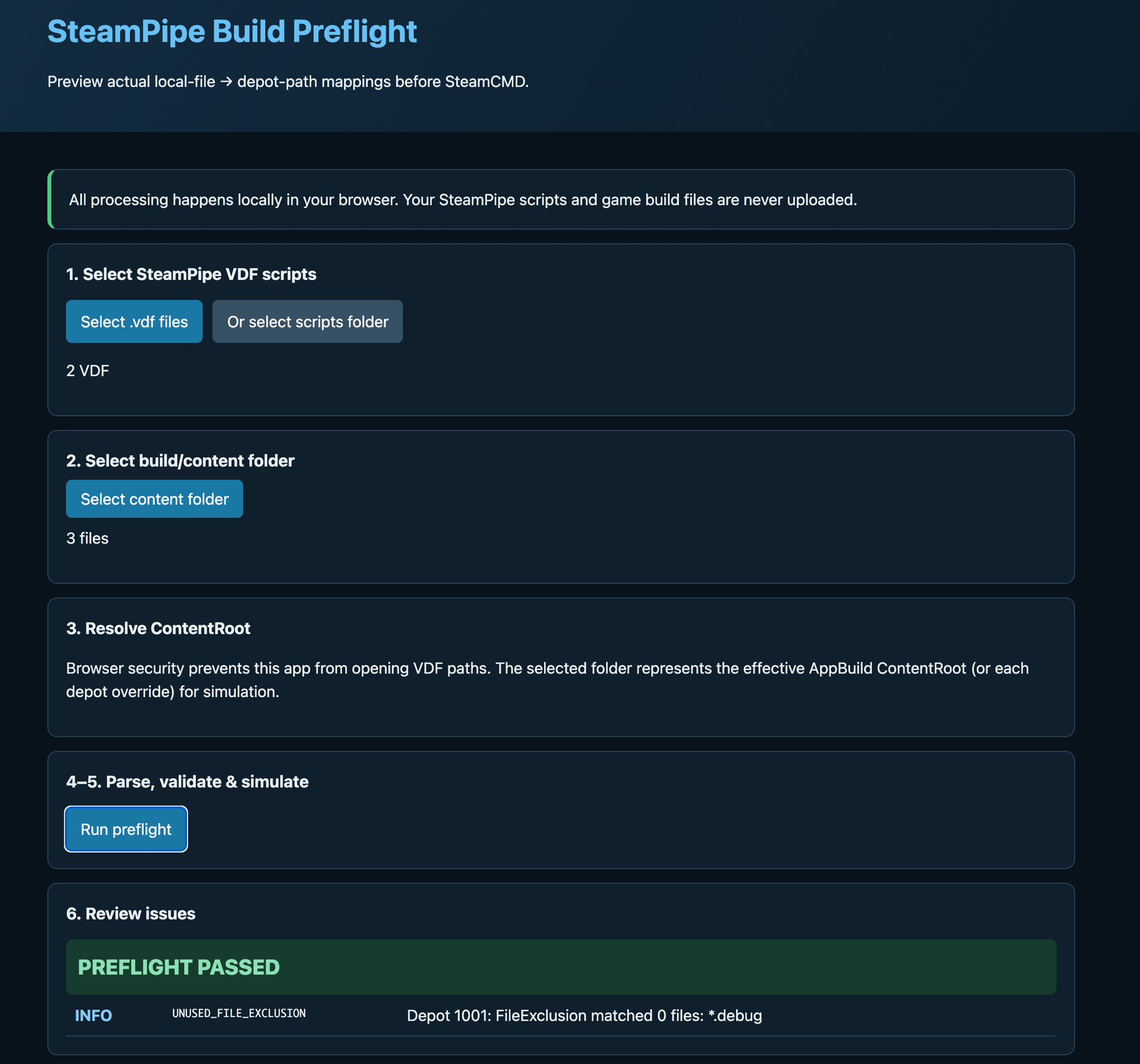
Select your VDF scripts and build/content folder. The tool parses the configuration and previews which local files map to which depot paths.
Everything runs locally in your browser. Your VDF scripts and game build files are never uploaded.
What it checks
- AppBuild and DepotBuildConfig parsing
- Referenced depot script presence
- DepotID mismatches
- Duplicate DepotIDs
- FileMapping results
- Recursive and non-recursive mappings
- Repeated FileExclusion rules
- Mappings that match zero files
- Multiple sources mapping to the same depot path
- Source files mapped multiple times
- Case-only depot path collisions
- Unicode-normalization path collisions
- Preview, SetLive, and Local configuration notices
- Common release-artifact warnings such as PDB, ILK, OBJ, and LOG files
Preview actual depot contents
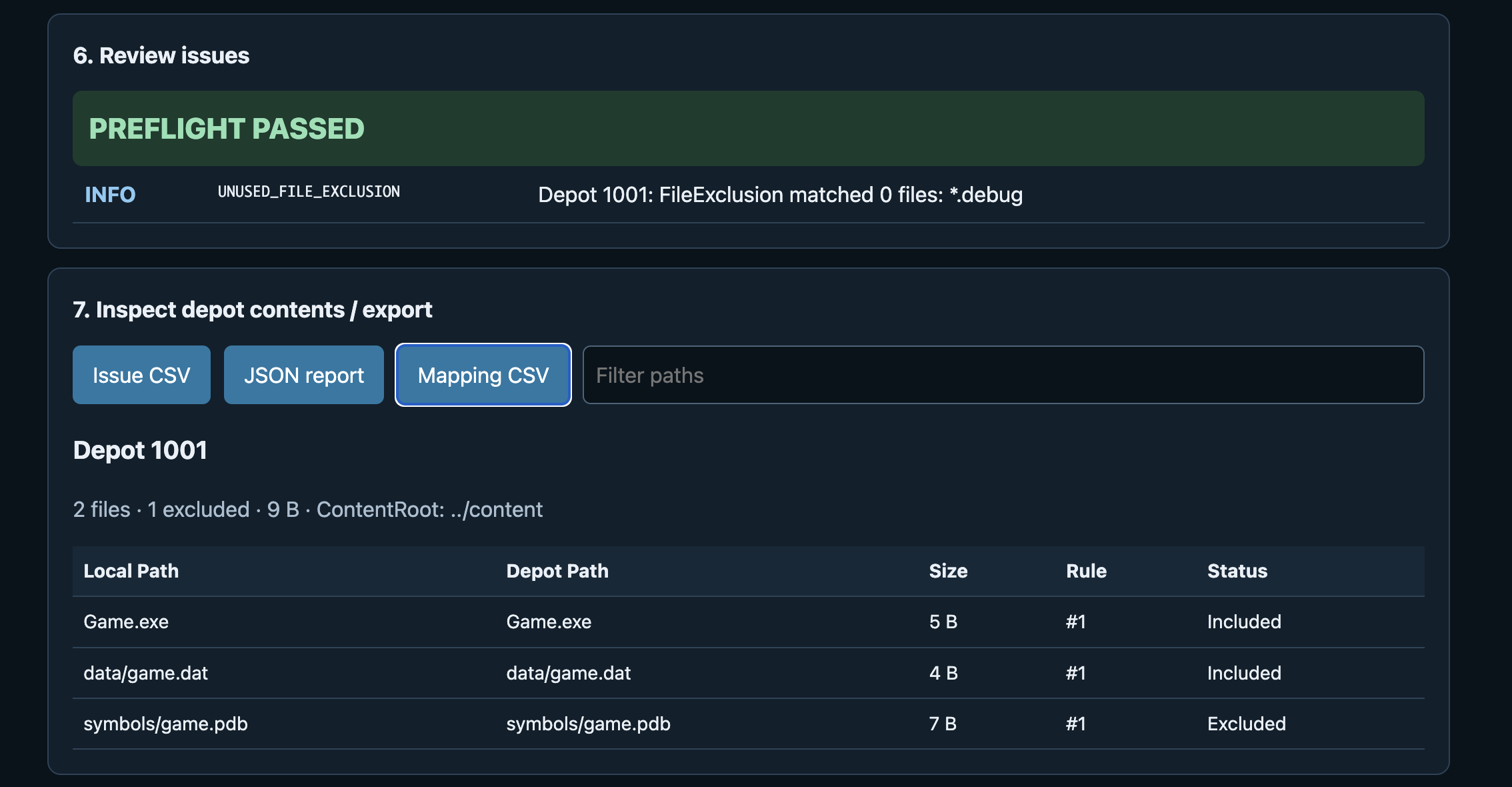
The tool uses the build folder you explicitly select and shows the simulated mapping for each depot.
For every mapped file, you can inspect:
- Local path
- Destination depot path
- File size
- FileMapping rule number
- Included / Excluded status
Each depot also shows included file count, excluded file count, and total included bytes.
FileMapping and FileExclusion
Version 1.0.0 supports deterministic mapping within its documented scope, including a single * wildcard and Recursive behavior.
Repeated FileExclusion entries are preserved and evaluated individually.
Unsupported advanced patterns are reported instead of being silently guessed.
Catch dangerous mapping mistakes
SteamPipe Build Preflight can surface problems such as:
- A depot VDF referenced by AppBuild was not selected
- The DepotID does not match the AppBuild Depots entry
- A FileMapping matches zero local files
- Two source files resolve to the same depot destination
- The same source file is included by multiple mappings
- Depot paths differ only by letter case
- Depot paths differ only by Unicode normalization
Search and inspect
Mapping rows can be filtered by local or depot path, making larger build trees easier to inspect.
Export reports
The tool can export:
- Issue CSV
- Mapping CSV
- JSON report
This makes it easier to archive a preflight result or send specific mapping problems to another developer.
Fully local and read-only
- No server upload
- No Steam login
- No SteamCMD execution
- No account required
- No installation required
- No telemetry
- No modification of VDF or build files
How to use
- Download and extract the ZIP.
- Open SteamPipe_Build_Preflight.html in Google Chrome.
- Select the AppBuild VDF and referenced depot VDF files, or select a scripts folder.
- Select your build/content folder.
- Click Run preflight.
- Review issues and depot mappings.
- Filter paths or export reports if needed.
About ContentRoot
Browsers cannot automatically open arbitrary filesystem paths written inside a VDF.
For that reason, the build/content folder you explicitly select is used as the local filesystem tree representing the effective ContentRoot for the simulation.
The logical ContentRoot value from the VDF is still displayed for reference.
What this tool does not verify
SteamPipe Build Preflight checks local scripts and selected local files. It cannot verify Steamworks server-side state.
It does not verify:
- Whether a depot exists in Steamworks
- Depot/package assignments
- Steamworks account permissions
- Published Steamworks settings
- Current live branch state
- SteamCMD authentication
- Server-side upload success
- Steam review or release approval
It also does not:
- Upload builds
- Run SteamCMD
- Generate VDF scripts
- Modify scripts
- Auto-fix build files
Tested release
Version 1.0.0 was release-tested on macOS using Google Chrome.
Release checks included:
- Direct local file:// launch
- Individual VDF file selection
- VDF scripts-folder selection
- Build/content folder selection
- Depot mapping simulation
- FileExclusion handling
- Mapping filtering
- Issue CSV export
- Mapping CSV export
- JSON export
- Confirmation that input files are not modified
- Folder names containing regular-expression special characters
Recommended browser
Current Google Chrome.
No web server is required. Open the included HTML file directly.
Included files
- SteamPipe_Build_Preflight.html
- README_EN.txt
- TERMS_OF_USE_EN.txt
- CHANGELOG.txt
Terms
Please read TERMS_OF_USE_EN.txt included with the download before use.
Unofficial tool
Steam, Steamworks, SteamPipe, and SteamCMD names are used descriptively. This is an independent, unofficial tool and is not affiliated with, endorsed by, or certified by Valve Corporation.
Purchase
In order to download this tool you must purchase it at or above the minimum price of $9.99 USD. You will get access to the following files: